
AI drafts, automatic replies & knowledge
Let the AI draft replies, answer simple emails automatically with answers you approved, and answer in the chat widget, built from your company's knowledge base, with you in control.
Elvo drafts replies to your emails, can answer simple emails automatically with answers your team has approved (see Svara sjálfvirkt), and answers automatically in the chat agent. The quality of the answers depends entirely on your knowledge base — the better you feed the AI, the more accurate and personal the answers. The AI never makes things up; it only uses what you give it.
AI drafts in tickets#
When a ticket opens, Elvo can suggest a reply. You review it, adjust if needed, and send — or ignore it and write your own. A draft is never sent automatically. This gives the speed of canned responses but with each ticket's context. The only email replies that go out by themselves are answers an admin has approved for automatic sending (see Svara sjálfvirkt).
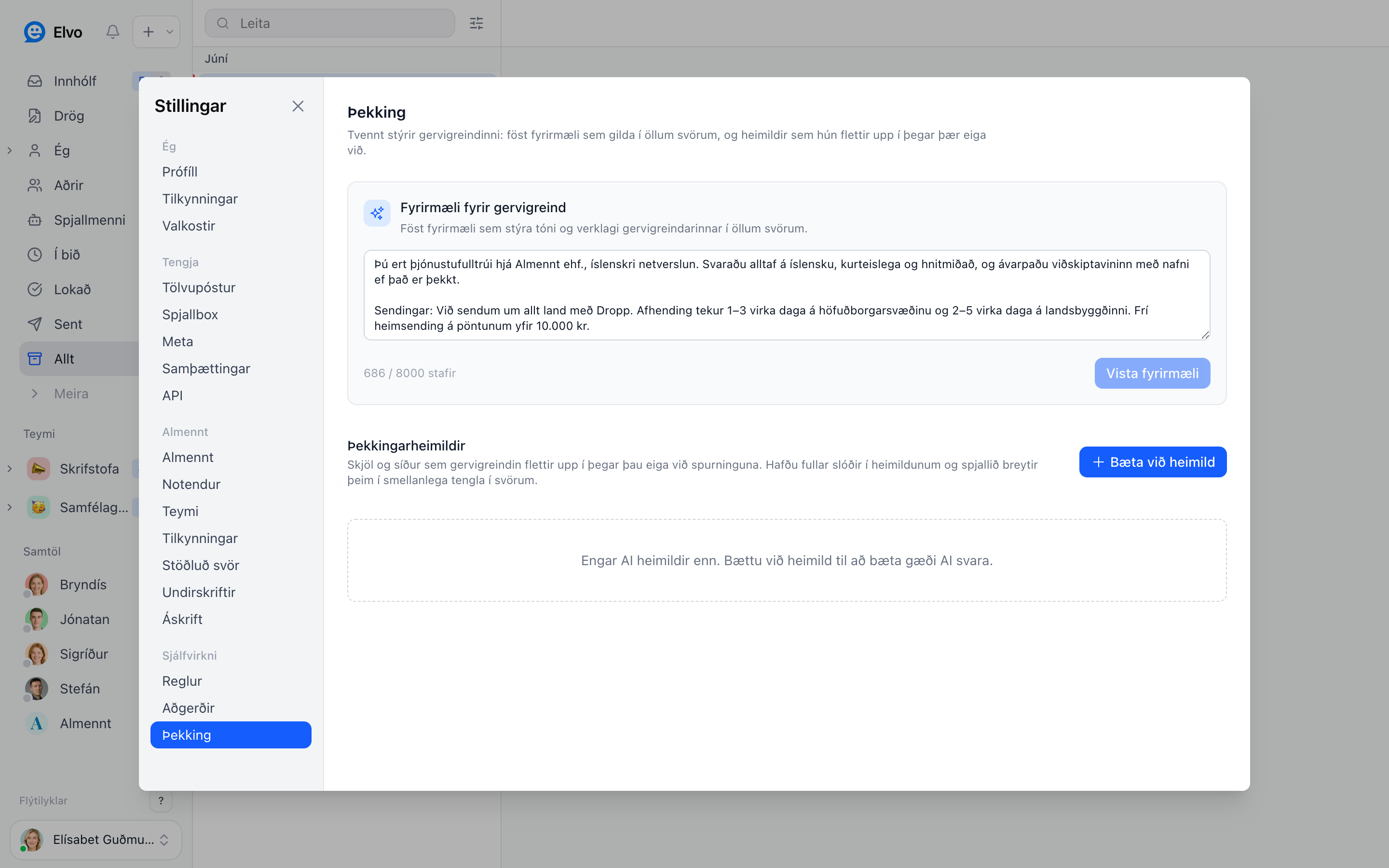
AI instructions#
Under Settings → Knowledge you set fixed instructions that apply to every reply. This is where you set the voice:
- Tone and wording — formal or casual.
- Procedure — how to answer about shipping, returns, refunds, and so on.
- Boundaries — what the AI should not promise or answer, but instead hand to a human.
Knowledge sources#
Add sources the AI looks up when drafting replies:
- Documents and pages with FAQs, pricing, or terms.
- Google Docs and Sheets — connect them directly so the sources stay continuously up to date; when you edit the document, the AI's knowledge updates automatically.
- Notion and Confluence — sync whole pages and spaces from your wiki (see below).
Notion and Confluence#
If your help content already lives in Notion or Confluence, connect it under Settings → Integrations instead of copying it over. Elvo mirrors the pages into Settings → Knowledge and the AI uses them like any other source.
- Notion: Elvo reads only the pages you share with the integration (⋯ → Connections on the page in Notion); sub-pages come along.
- Confluence: choose the spaces by their space keys, or leave them empty for every space the account can read. Personal spaces are left out unless you list them.
- Pages sync every hour, or right away with Sync now. Edit them in Notion or Confluence — synced pages can't be edited in Elvo.
- Remove a synced page in Settings → Knowledge to keep it out of the AI's knowledge for good; the next sync won't bring it back.
Step-by-step setup: Integrations → Knowledge.
Tip
Start by pasting in your 3–5 most common questions and their answers. That alone improves the AI's answers the most early on.
Learned from your team#
Elvo compares its draft replies with the replies your team actually sends. When the team answers the same question the same way more than once, Elvo saves the answer under Settings → Þekking → Lært af teyminu and uses it in later drafts. No one reads the conversations; Elvo only compares its drafts with the team's replies.
- When the team starts answering differently, for example after a price change, Elvo updates the answer.
- If a learned answer disagrees with one of your knowledge sources, the team's latest answer is used.
- Admins can edit or remove learned answers, and turn learning off.
Svara sjálfvirkt#
Svarþjónninn can answer the simplest emails by itself, with an answer your team has already approved. It never writes a new answer of its own.
- An admin turns on Svara sjálfvirkt for one learned answer at a time, under Lært af teyminu. Before you confirm, you see the exact email that will be sent, in Icelandic and English.
- Elvo first tests the answer on your emails from the last 60 days and shows how many it would have answered and whether the team answered the same way. If the team often answered differently, the switch stays off until you improve the answer.
- When the first email in a new conversation asks only that question, the approved answer is sent after one minute. Until then the ticket shows the reply as Svarþjónninn's draft with a countdown. Anyone can click Taka við to edit and send it themselves, or Hætta við. If someone works on the ticket first, the automatic reply is cancelled.
- The reply says that it was sent automatically and that the customer can reply to reach a person. After it is sent, the ticket is marked resolved, or pending if the answer asks the customer for something.
Never answered automatically: emails with more than one question, complaints, questions that need the customer's own data (such as an order), emails from your colleagues, and emails with attachments (you can allow attachments for an answer, but images and screenshots are never answered). An answer that declines, promises a refund, discount or price, or is only valid for a limited time cannot be turned on.
Elvo turns an answer off by itself when the answer is updated, when the team starts answering differently, when customers write back after automatic replies, and after 90 days, when an admin approves it again.
FAQ#
Does the AI send replies without my approval? By email: only answers an admin has approved with Svara sjálfvirkt, and only when an email asks exactly that one question. Everything else Svarþjónninn writes is a draft that you review and send. In the chat widget the chat agent answers automatically if you set it up that way.
What if the AI doesn't know the answer? It says it doesn't know and routes the ticket to your team rather than guessing.
What language does it answer in? It answers in the same language the customer writes in, including Icelandic.