
AI actions
Let the AI do automatic work on incoming tickets — filter spam, reply, label, and more.
AI actions let the AI perform certain tasks automatically as tickets arrive. For each action you choose how far the AI goes.
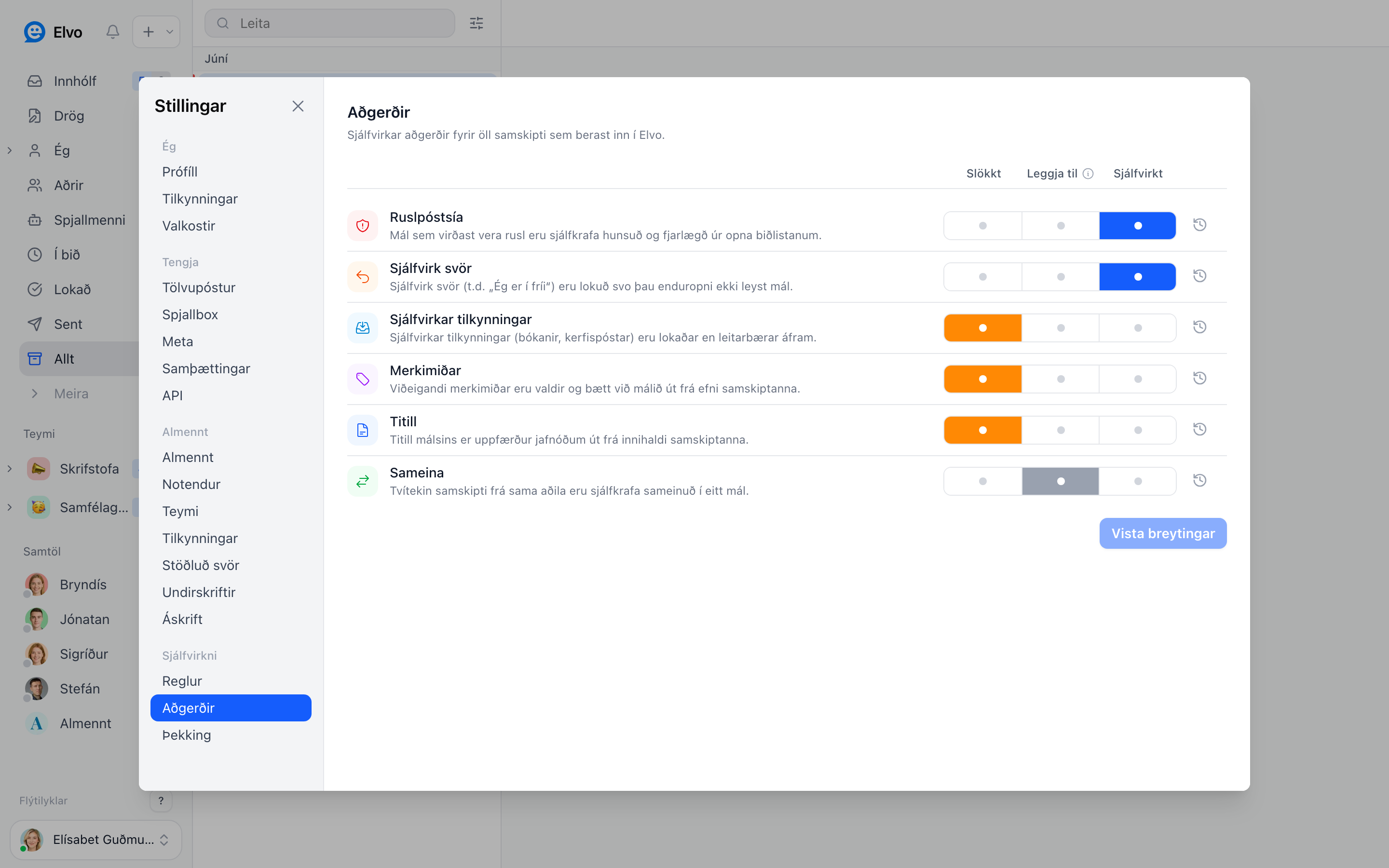
Three levels per action
- Off — the AI does nothing.
- Suggest — the AI proposes the action, but you confirm.
- Automatic — the AI performs the action itself.
Available actions
- Spam filter — tickets that look like spam are ignored and removed from the queue.
- Auto-replies — the AI answers simple requests (see AI drafts & knowledge).
- Auto-notifications — system and confirmation emails are closed so they don't distract.
- Labels — relevant labels are added to the ticket.
- Title — the ticket title is updated from the conversation's content.
- Merge — duplicate tickets from the same person are merged into one (see Merging tickets).
AI actions vs rules
AI actions rely on the AI's judgment of the ticket's content. Rules rely on fixed conditions you set. Use both together.
FAQ
Can I try without risk? Yes — set an action to Suggest first and review the suggestions before switching on automatic.