
Tags
Label tickets with shared tags — color and emoji, pin them to the sidebar, filter and search by tag, and automate tagging with rules.
Tags (merki) label tickets by topic — orders, invoices, complaints, anything that matters to your team. Tags are shared across the workspace: every tag has one identity (name, color, and emoji) that everyone sees, and any conversation can carry any number of them. You create tags freely as you go — no setup screen needed.
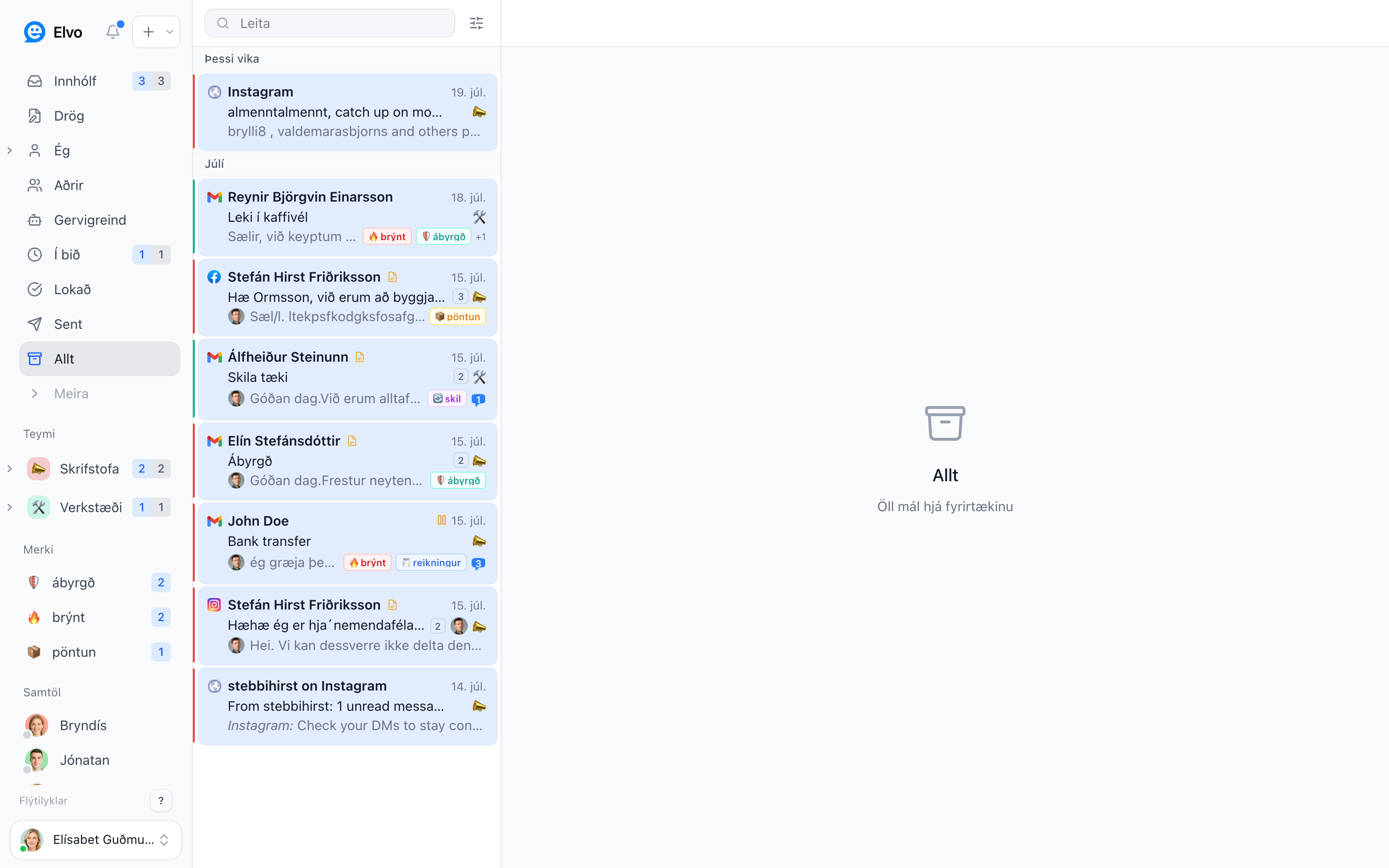
Adding tags to a ticket
There are several ways to tag:
- The tag button in the ticket — click the tag icon at the right of the title row (or press
T). A picker opens with a search box, your pinned tags (Fest), the workspace's recently used tags (Nýleg), and a checkmark on tags already on the ticket. Click to toggle tags on and off; type a new name and choose Búa til to create a tag on the spot. - Right-click in the ticket list — choose Merkja sem… to toggle tags without opening the ticket. This also works on a multi-selection, so you can tag many tickets at once.
- Automation rules — a rule can add or remove tags automatically, e.g. tag everything containing "invoice". The rule editor suggests your existing tags as you type.
- Labels and folders in your mailbox — with a connected Gmail account, a label you put on a conversation becomes a tag with the same name, and removing the label removes the tag. With Outlook, the ticket carries the tag of the folder its email sits in: moving a message to a folder gives it that folder's tag, moving it on swaps the tag, and moving it back to the inbox removes it. See Connect email.
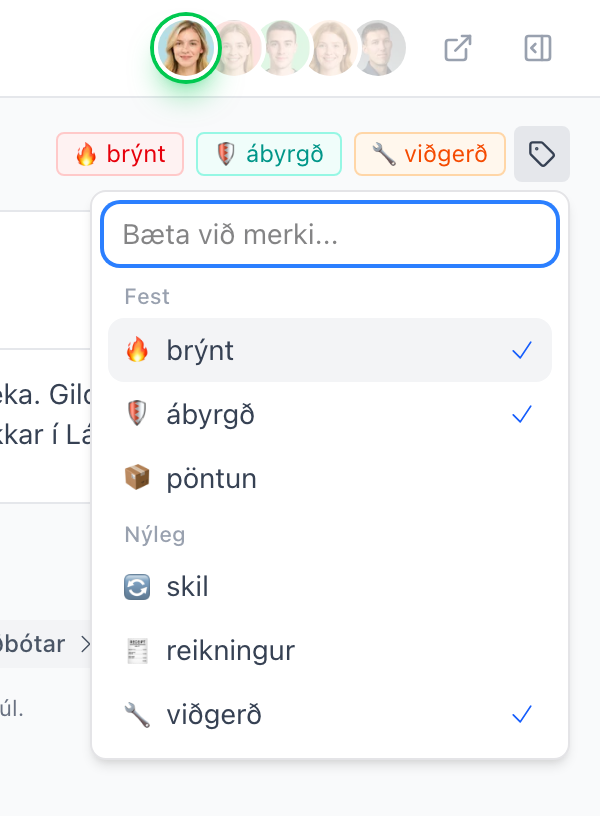
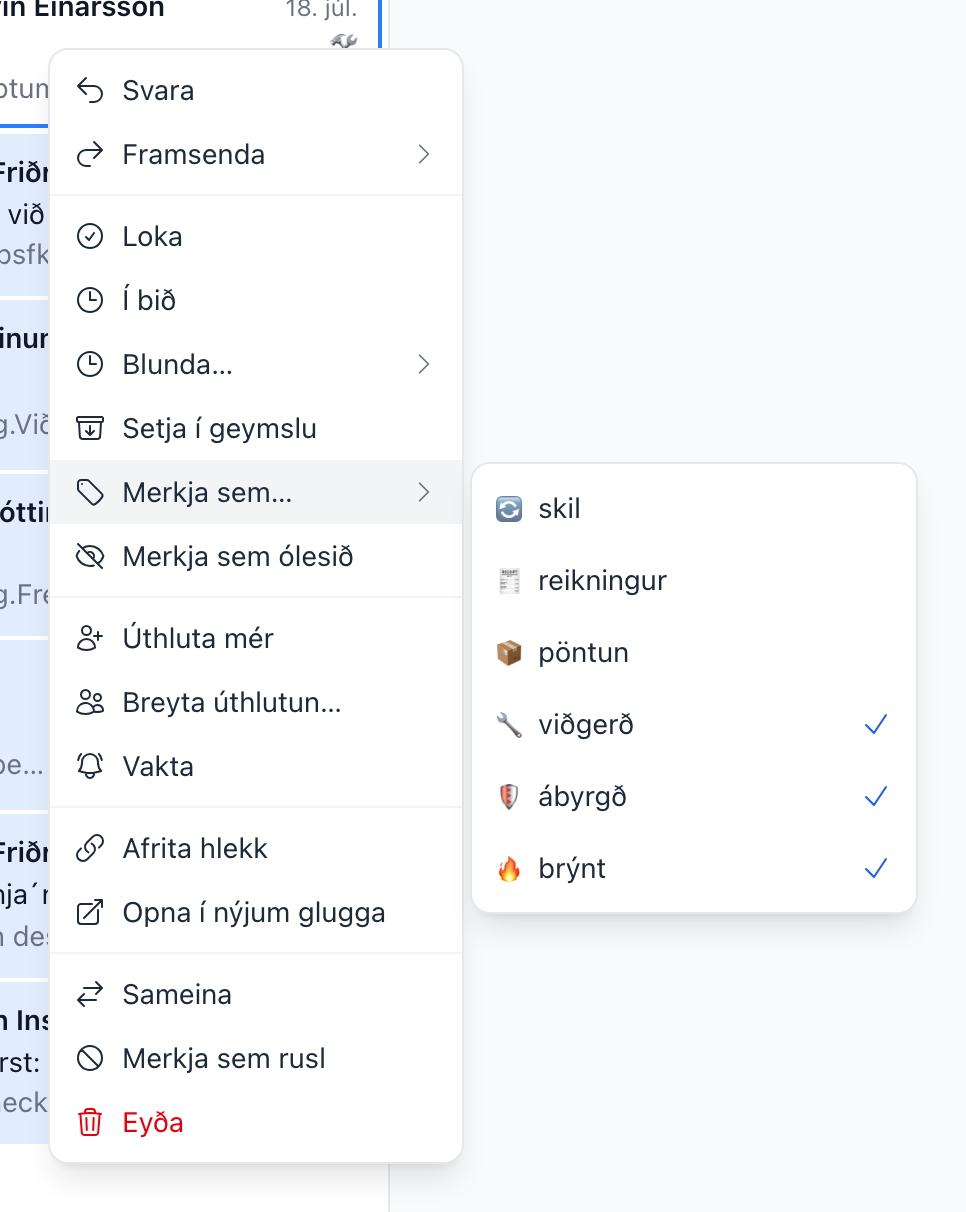
To remove a tag, hover over its pill in the ticket and click the × that appears — or use the same picker and menus you used to add it.
Color, emoji, and renaming
Click (or right-click) a tag pill in a ticket to open the tag menu. The Útlit (appearance) section at the top edits the tag itself — for everyone in the workspace:
- Color — pick one of the preset colors. The tag renders in that color everywhere: list chips, ticket pills, and the sidebar.
- Emoji — pick an emoji that renders in front of the tag name.
- Endurnefna (rename) — renames the tag on every ticket that carries it. If the new name already exists, the two tags are merged into one.
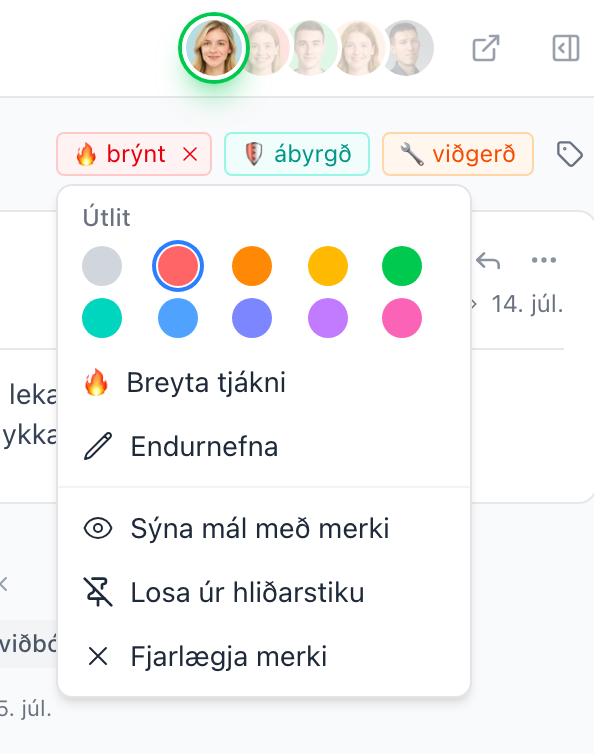
Below the appearance section are the actions: Sýna mál með merki (jump to all tickets with the tag), Festa í hliðarstiku (pin to sidebar), and Fjarlægja merki (remove the tag from this ticket).
Pinning tags to the sidebar
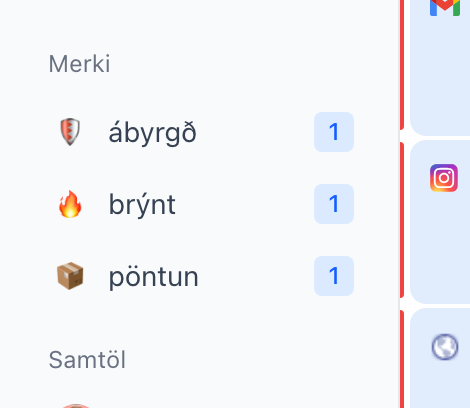
Pin the tags you work with the most and they appear in a Merki section in the sidebar. Pinning is personal — each teammate curates their own sidebar; the tags themselves stay shared.
- To pin a tag, click + next to the Merki heading in the sidebar and pick the tag, or choose Festa í hliðarstiku in the tag menu on a ticket.
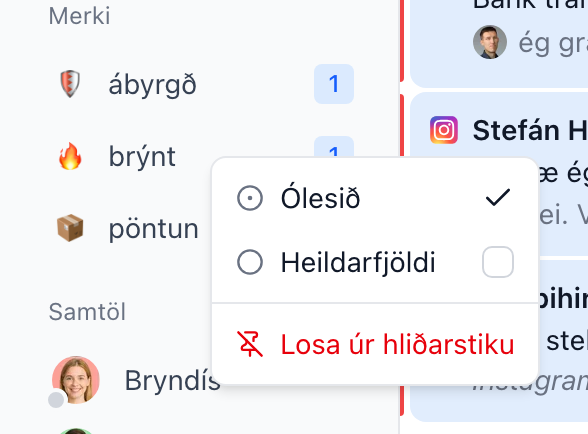
- Each pinned tag shows a count badge. By default it's the number of unread tickets with the tag; right-click the row to toggle Ólesið (unread) and Heildarfjöldi (total) counts — or unpin with Losa úr hliðarstiku.
- Clicking a pinned tag shows the open and on-hold tickets carrying the tag, so the list empties as cases are closed. Right-click the row and turn on Sýna lokuð mál to include resolved and archived tickets for that tag.
- Admins can right-click a pinned tag and choose Festa fyrir alla to pin it for every member of the workspace. Each person can still unpin it for themselves.
- Like other sidebar sections, the Merki section can be collapsed and dragged into your preferred order.
Filtering and searching by tag
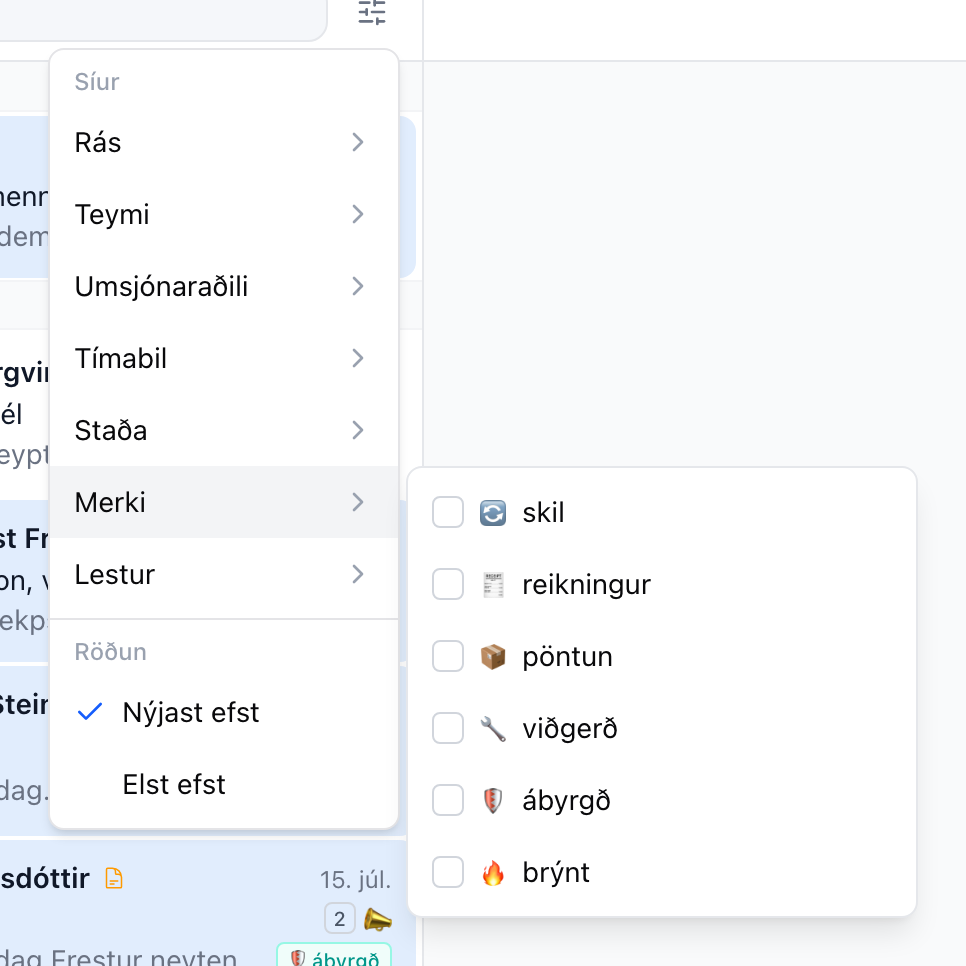
- Filter — the filter menu at the top of the ticket list has a Merki category; check one or more tags to narrow the list. The filter stays on that view until you clear it with × on its chip: go to another folder and back, or reload the page, and it is still there. Each view keeps its own filters.
- Search — use the
tag:operator in search, e.g.tag:invoice. Quote names with spaces:tag:"urgent order". Repeat the operator to match any of several tags, and combine it with keywords and other operators.
On mobile
Tap (or long-press) a tag pill in a ticket to open the tag menu as a bottom drawer, with the same appearance options and actions as on desktop.
FAQ
Are tags shared or personal? The tags themselves — name, color, emoji — are shared by the whole workspace. Only sidebar pinning and its count settings are personal.
What happens when I rename a tag? The name changes on every ticket carrying it, for everyone. If a tag with the new name already exists, the two are merged into one tag.
Is there a difference between "Pöntun" and "pöntun"? Yes — tag names are case-sensitive, so those are two different tags. Pick one convention and stick to it.