
Signatures
One signature template for the whole company that fills in each agent's own name, title and phone.
Elvo adds a signature to the bottom of every email reply, so nobody has to type their name and contact details each time. An admin sets up one template for the whole company. The template uses variables, and Elvo fills them in from the profile of the person who sends the reply. That way every agent gets their own signature from the same template.
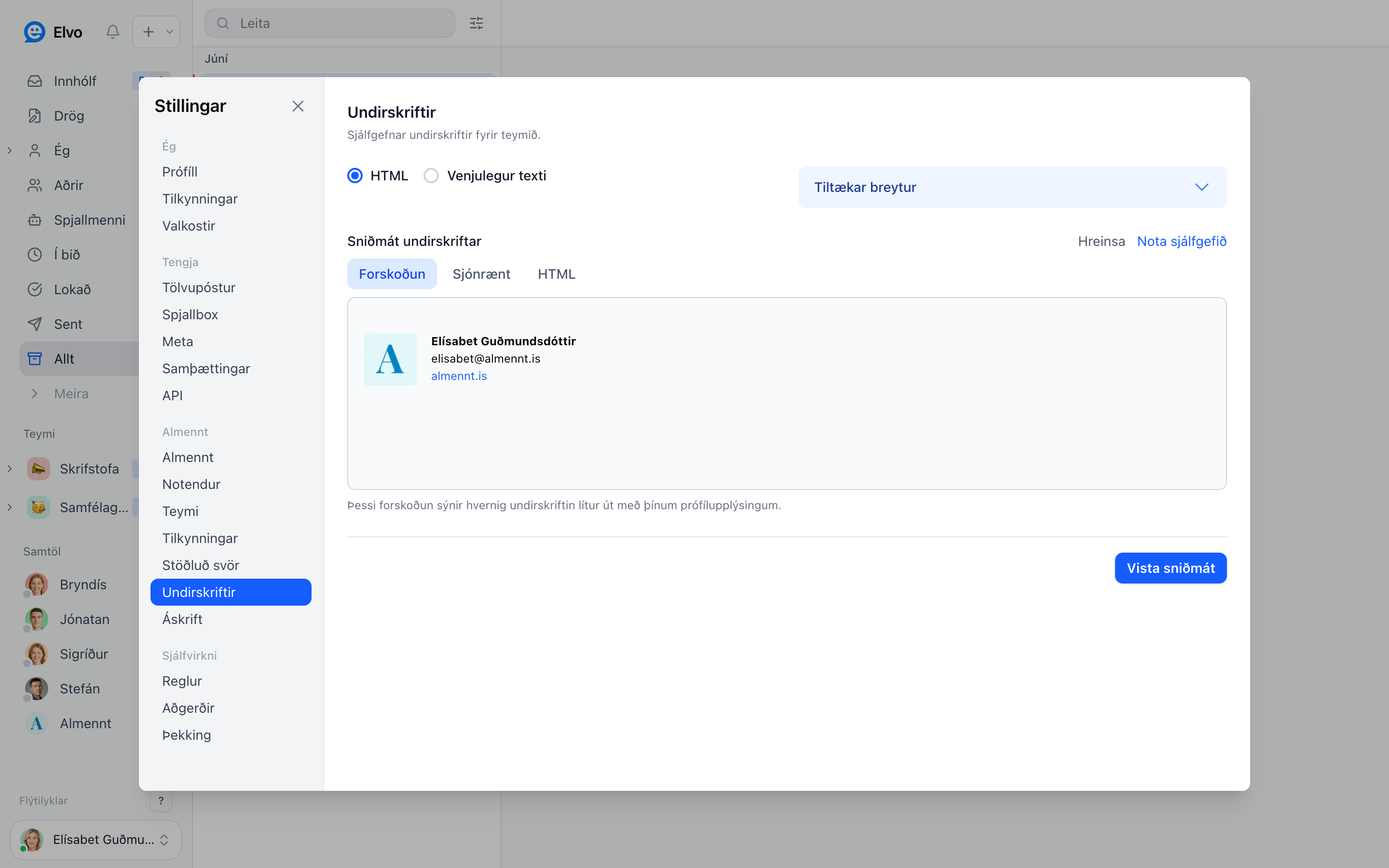
Set up the template
- Open Settings → Signatures (admins only). Keep Signature for set to Whole organization.
- Click Use default for a starting point, or write your own. You can use HTML with a logo, links and styles, or plain text.
- Put variables where each agent's details go. Do not type a person's name into the template, or that name appears on everyone's replies.
- Click Save Template. The preview shows the signature with your own profile details.
Variables
Open Available variables below the editor and click a variable to insert it.
| Variable | Filled in with |
|---|---|
{{fullName}} | The agent's full name |
{{firstName}} / {{lastName}} | The agent's first or last name |
{{jobTitle}} | The agent's job title |
{{phone}} / {{mobile}} | The agent's phone or mobile number |
{{orgName}} | The company name |
{{orgLogo}} | The address of the company logo, for an image |
A line whose variable is empty is removed, so an agent without a mobile number gets no empty mobile line.
Each agent fills in their profile
Each agent enters their name, job title, phone and mobile under Settings → Profile. Those details go into the signature on their replies.
Under Settings → Preferences, each agent can turn Use organization email signature on or off for their own replies.
A different signature for a team
A team can have its own template. Choose the team under Signature for and save a template for it. Replies from that team use the team template. Teams without their own template use the company template.
We can set it up for you
Send us your signature as you want it to look (a screenshot or the HTML from Outlook is fine) to elvo@elvo.is. We turn it into a template with variables and put it in for you. Then you check that it looks right.
FAQ
Why does everyone's reply show the same name? The name was typed into the template instead of
a variable. Replace it with {{fullName}} and ask each agent to fill in their profile.
Can each person have a completely different signature? No. Everyone shares the template, and the variables make it personal. For a different layout per group, use a team template.