
Set up the chat agent
Put an AI chat agent on your website so visitors get instant answers around the clock — and reach your team the moment a person is needed.
The chat agent answers your website visitors instantly. It resolves questions on its own — even outside opening hours — and hands the conversation to your team the moment a person is needed. Visitors reach it through a chat button in the corner of your site, without ever leaving the page.
Every chat becomes a ticket in your inbox, just like email, so you keep the same overview.
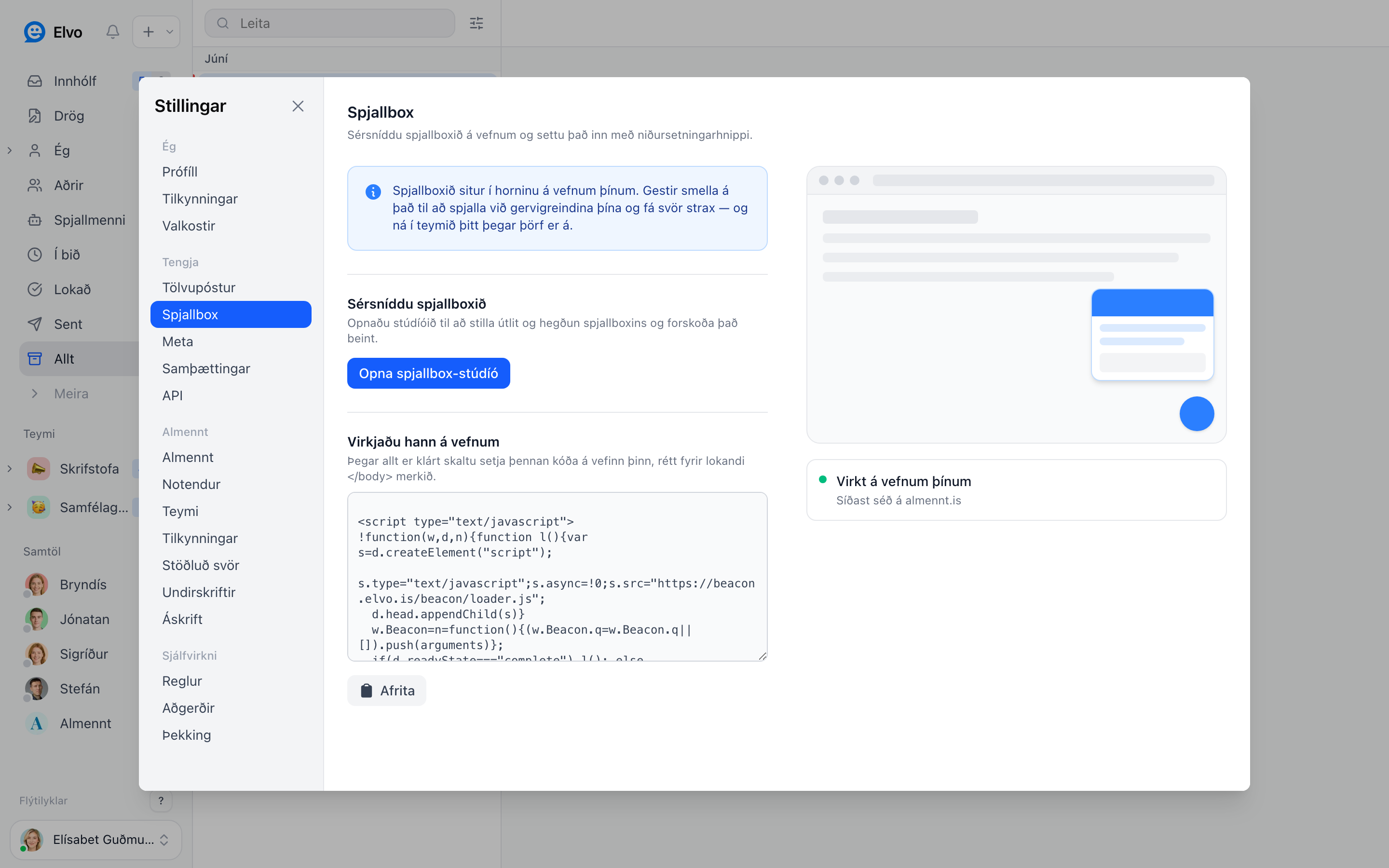
1. Customize the agent
Open Settings → Chat agent and click Open studio. There you set:
- Behavior — the greeting visitors see, whether the AI answers first, and when the conversation goes to your team.
- Appearance — the color, position, and label of the chat button so it matches your site.
You can preview your changes live in the studio before publishing them.
2. Put it live on your site
Copy the snippet under Add it to your site and paste it into your website, just before the
closing </body> tag. The same code works on every page. As soon as it's in place, the chat agent
goes live.
Tip
Using WordPress, Wix, or Squarespace? There's usually a "custom code" or "footer scripts" field where you paste the snippet without touching your theme.
3. Keep track
Once the chat agent is live you'll see Live on your site and when it was last used. After that, every chat arrives as a ticket in your inbox and you answer it like any other ticket.
FAQ
Does the AI answer automatically? Yes, if you've set up a knowledge base. Otherwise the chat goes straight to your team.
What happens outside opening hours? The AI keeps answering. If it can't resolve the request, it collects in your inbox and waits for you the next morning.
Can visitors start a chat anonymously? Yes. You can ask for an email if you want to be able to follow up later.