
Connect email
Connect your mailbox to Elvo so customer email arrives straight in your inbox — and replies go back correctly.
Email is the most common channel. When you connect an address, all mail sent there arrives straight in your Elvo inbox as tickets, and your replies go out from that same address — the customer notices no difference.
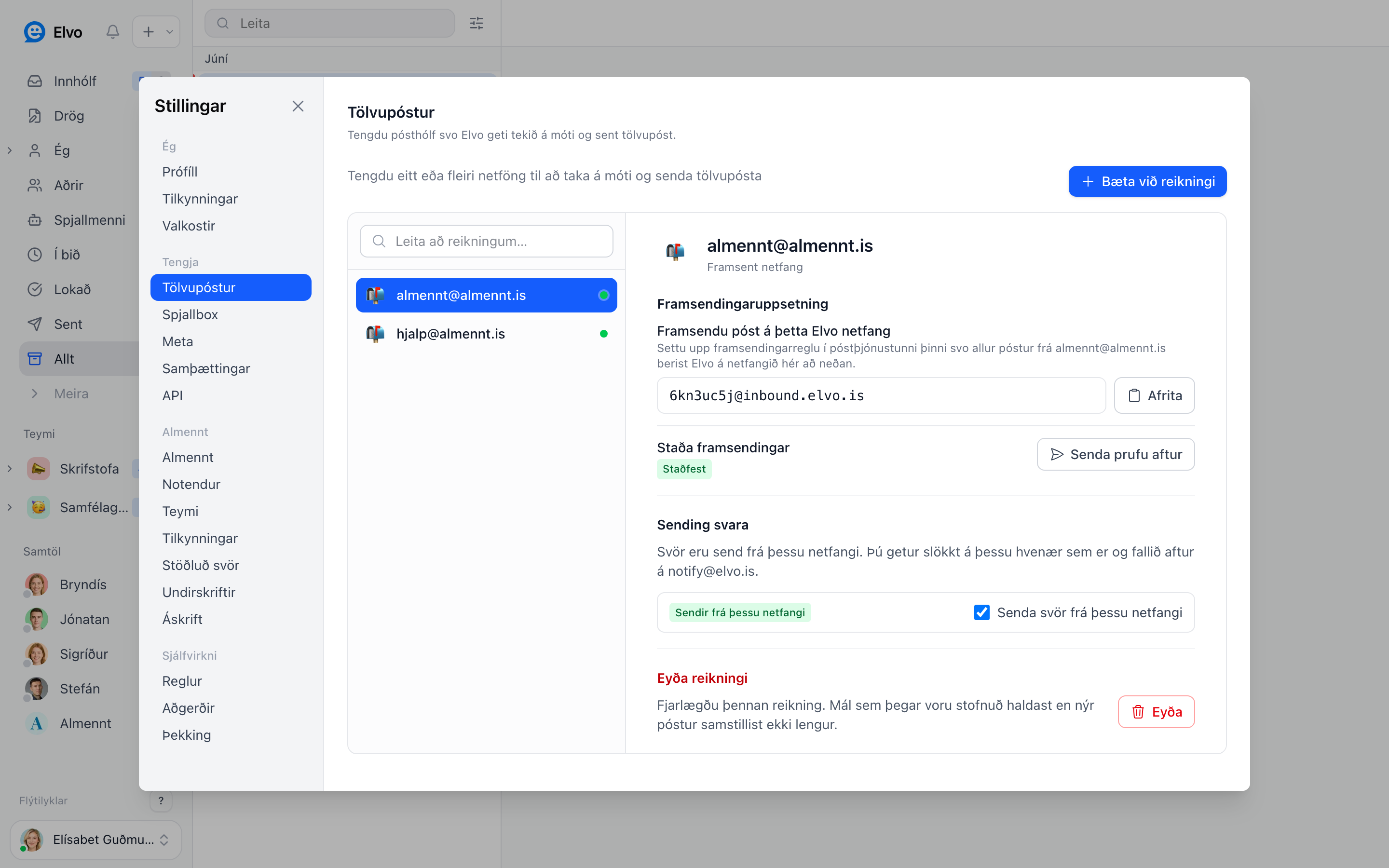
Choose a connection method
Open Settings → Email, click Add account, and choose the method that matches your mail system:
- Gmail / Google Workspace — direct connection by signing in.
- Outlook / Microsoft 365 — direct connection by signing in.
- Forwarding — for any other address or mail server.
With a direct Gmail or Outlook connection, Elvo also follows what you do in the mailbox: archiving a conversation there archives the ticket in Elvo (it leaves the inbox, you find it in the Archive folder, and it comes back when the customer replies), and your labels or folders become tags. This is one-way; Elvo never changes anything in the mailbox, and resolving a ticket in Elvo is separate and never synced. The details are on each provider's page.
Reply sending
Under Reply sending you control whether replies go out from this address. It's on by default — replies go out from the same address the customer wrote to. You can turn it off any time; replies then fall back to the default address.
FAQ
Can I connect more than one address? Yes — add as many as you need. Each address can be tied to a specific team.
Can I disconnect an address? Yes, with Delete account. Tickets already created are kept, but new mail no longer arrives.