
Replying to customers
Reply to tickets, check with teammates via internal notes, and speed things up with canned responses and AI drafts.
You reply to the customer directly in the conversation view. There you see the whole conversation in order and write your reply at the bottom. Internal notes are visible only to your teammates — the customer never sees them.
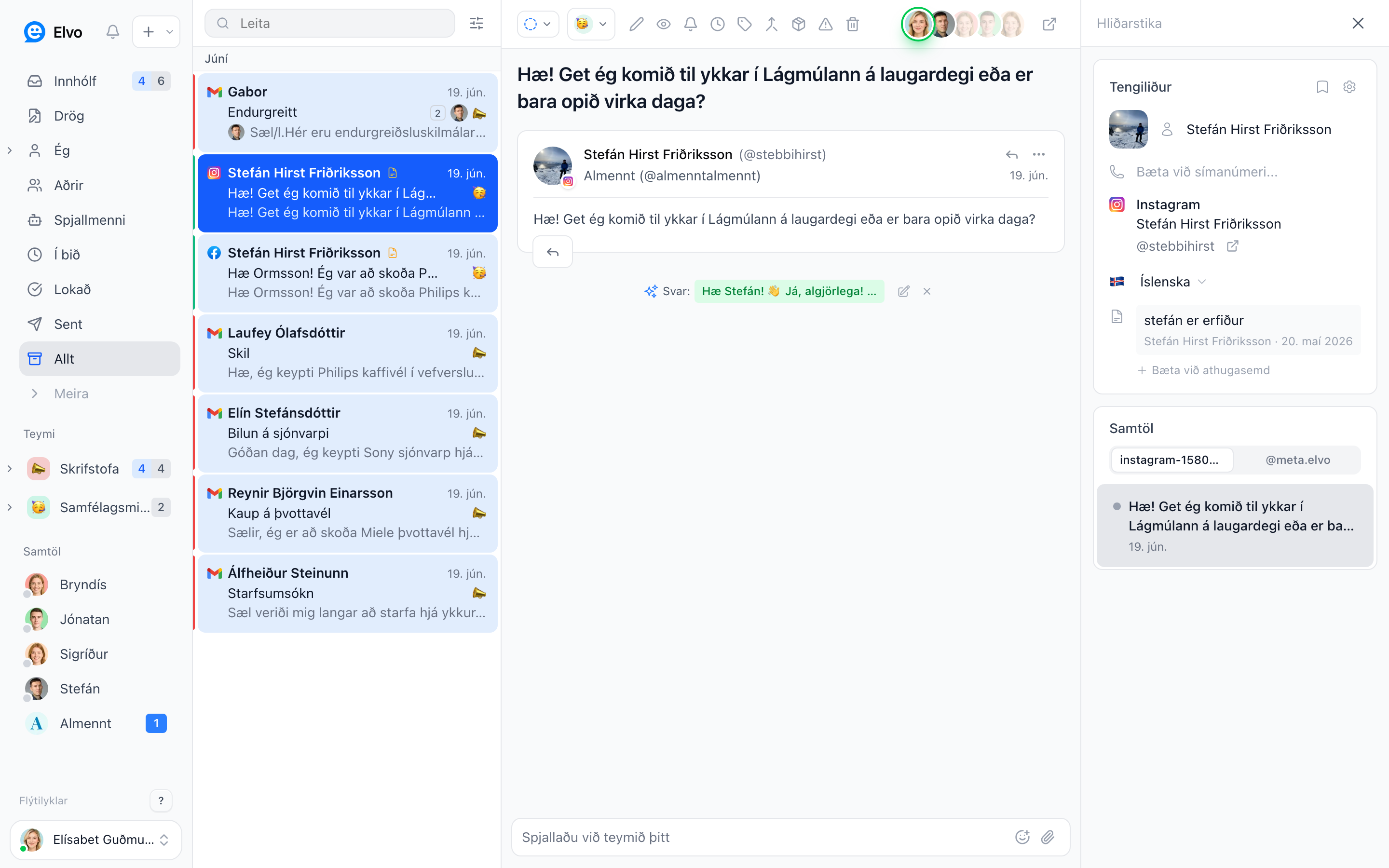
Replying to the customer
Click Reply (or R), write your reply, and send. The reply automatically goes out from the
connected address or the channel the ticket arrived on — email as email, chat as chat.
You can format the text (bold, links, lists), attach files and images, and read earlier replies higher up in the conversation as you write.
Internal notes
Need to check with a teammate before replying? Write a note (N) instead of a reply. Notes are
tinted and marked so they don't get mixed up with replies.
- Mention a teammate with
@to notify them and pull them into the ticket. - Use notes to record decisions so the next person to open the ticket is up to speed.
Remember
The customer never sees internal notes, only the replies you send specifically to them.
Canned responses
For common questions (opening hours, shipping, returns) you can save canned responses and insert them in a couple of clicks instead of writing the same thing over and over. Configure them under Settings → Canned responses; you can use variables (e.g. the customer's name) so they still feel personal.
AI drafts
Elvo can draft a reply for you from your company's knowledge base. You review it, adjust if needed, and send — or ignore it. This speeds things up a lot while you keep full control.
FAQ
Which address does the reply go from? From the address (or channel) the ticket arrived on, unless you choose another.
Can I forward a ticket? Yes — use Forward (F) to send the ticket to a third party, e.g. a
supplier.
What if I start a reply but don't finish? It saves automatically as a draft and is found in the Drafts folder.