
Users & roles
Invite colleagues to Elvo and control what each person can do with roles.
Add colleagues to Elvo and decide what each person can do. Roles control access — from a full admin down to an agent who answers tickets.
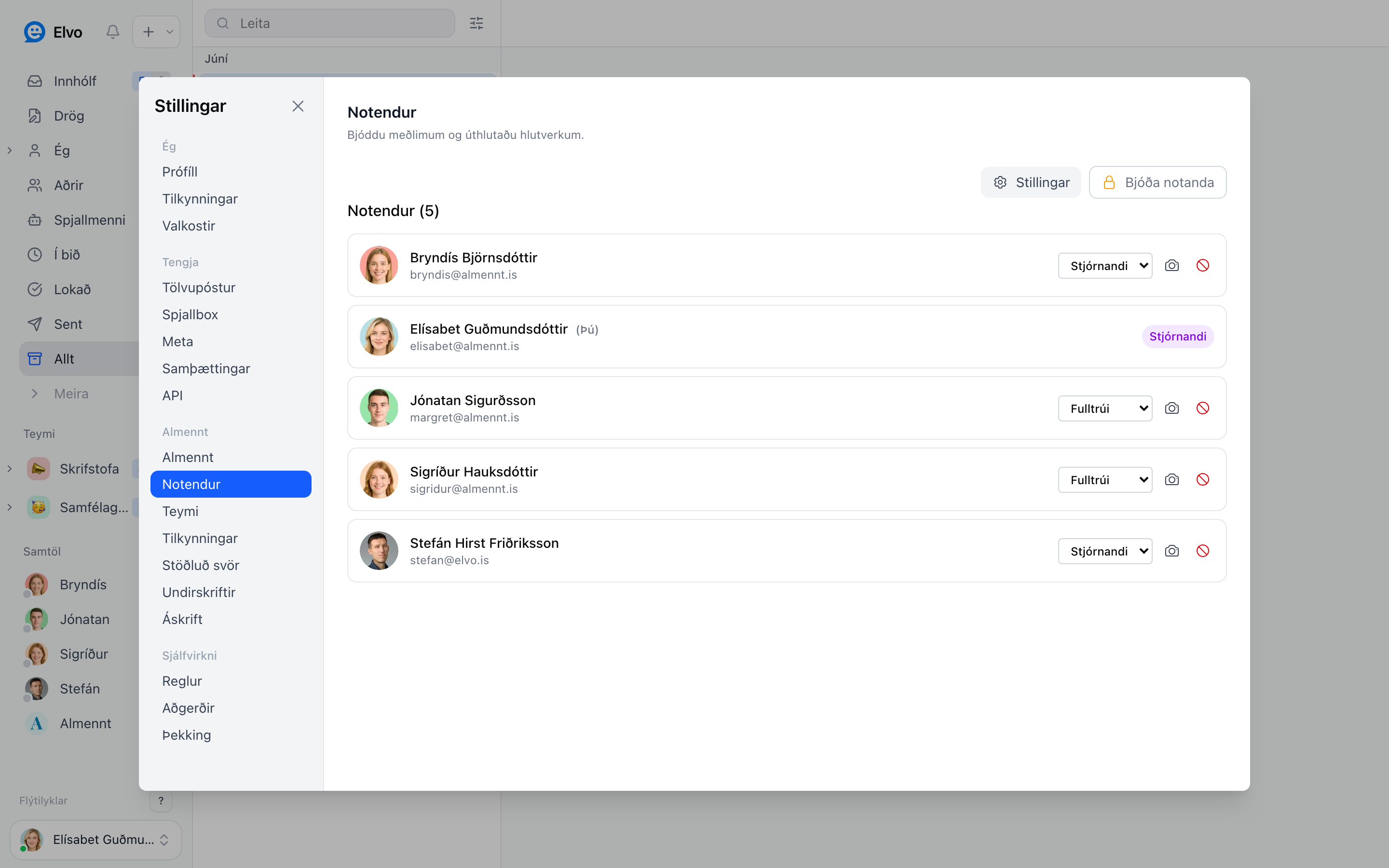
Invite a user
Open Settings → Users and click Invite user. Enter their email; they receive an invite and create an account. You can invite as many as you need.
Roles
- Admin — full access, including settings, teams, users, and billing.
- Agent — answers tickets and works the inbox, but doesn't change company settings.
You can change a user's role any time in the user list.
Signing in
Everyone can sign in with an email address and a password, or with Google or Microsoft. Both buttons are on the login page and both work with a company account.
An admin can require SSO for the whole company: open Settings → Users, click Settings at the top of the list, and turn off Allow password login. From then on Google or Microsoft is the only way in, and the multi-factor requirement comes from your own identity provider, which is where it belongs. Elvo has no separate authenticator app.
Two details worth knowing:
- The admin who turns it off has to have signed in with Google or Microsoft at least once first, so nobody locks themselves out. Until then the switch stays disabled.
- The rule follows the person, not the company they happen to be looking at. If someone belongs to several companies in Elvo and one of them requires SSO, that person signs in with SSO everywhere. Requesting a new password does nothing for them, the provider button is the way in.
One account, multiple organizations
The same account (email) can be a member of more than one organization in Elvo. To join another organization, an admin there invites your email — see above — and you use the same login for both, whether that is a password or a Google or Microsoft account.
When you belong to more than one, an Organization item appears in the profile menu at the bottom of the sidebar. Open it and pick the company you want to switch to.
Each organization is completely separate — its own inbox, settings, and billing. A user who is a member of two organizations counts as one seat in each — see Billing & plans.
FAQ
What does adding a user cost? It depends on your plan (per seat, per month).
How do I remove a user? In the user list you can deactivate an account; the tickets they worked on are kept.
Are roles and teams related? Partly — see Teams & collaboration for ticket visibility within teams.