
Notifications
Set when and how Elvo lets you know — in the browser, by email, and in the apps.
Notifications let you know when something needs your attention — a new ticket, an @-mention, or a reply to a ticket you're responsible for. You control when and how you get them.
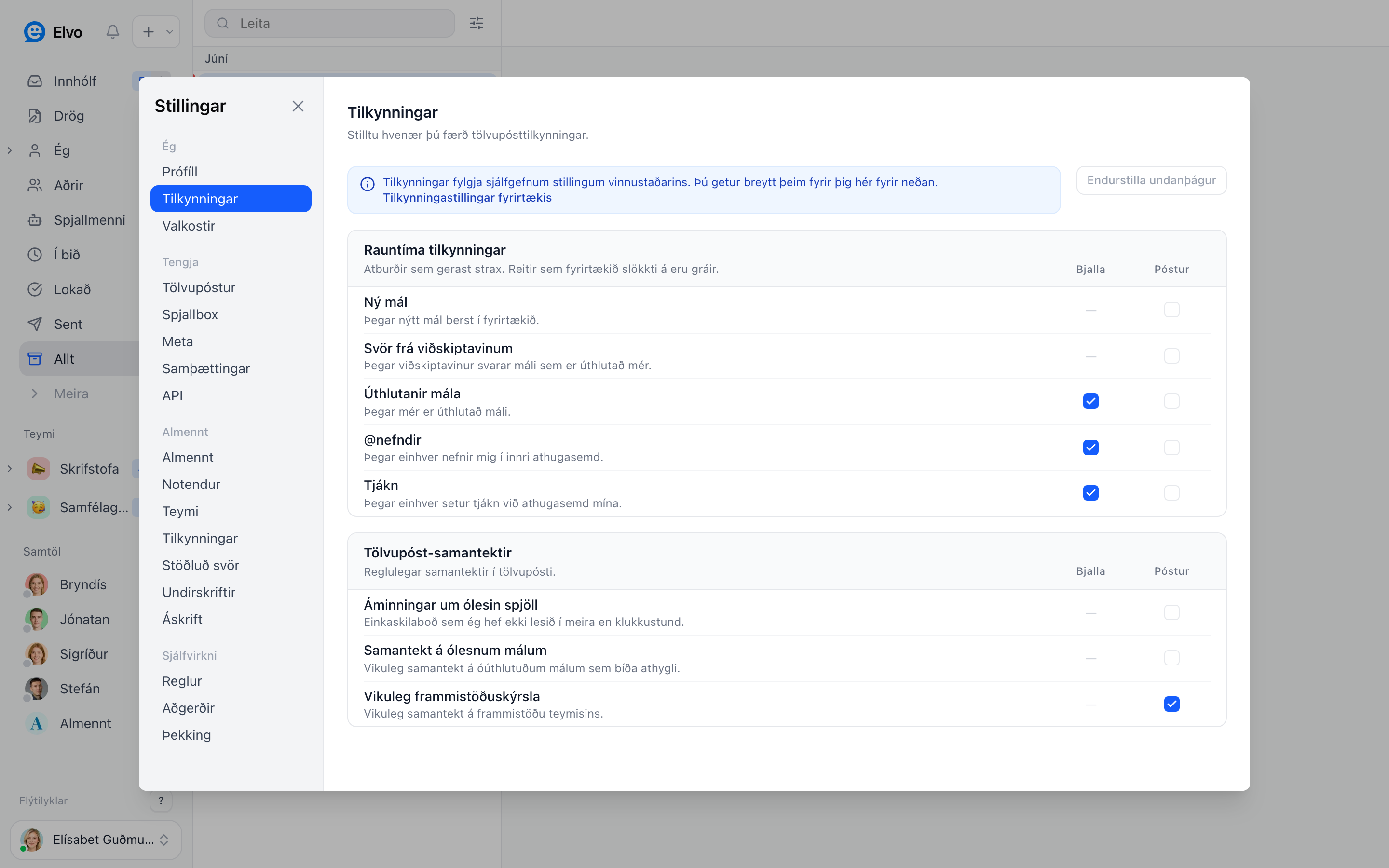
Set up your notifications
Open Settings → Notifications and choose what you want to be notified about — e.g. when you're
mentioned with @, when you're assigned a ticket, or when a new ticket arrives for your team.
Ways to get notified
- In the browser — a notification bell and on-screen alerts while you have Elvo open.
- Email — a digest or individual notifications when you're away.
- Apps — Elvo's apps send push notifications to your phone and computer.
FAQ
Can I pause notifications temporarily? Yes — e.g. outside working hours. Set it in your notification settings.
Why am I not getting notifications? Check that your browser or phone allows notifications from Elvo, and that it's set correctly here.